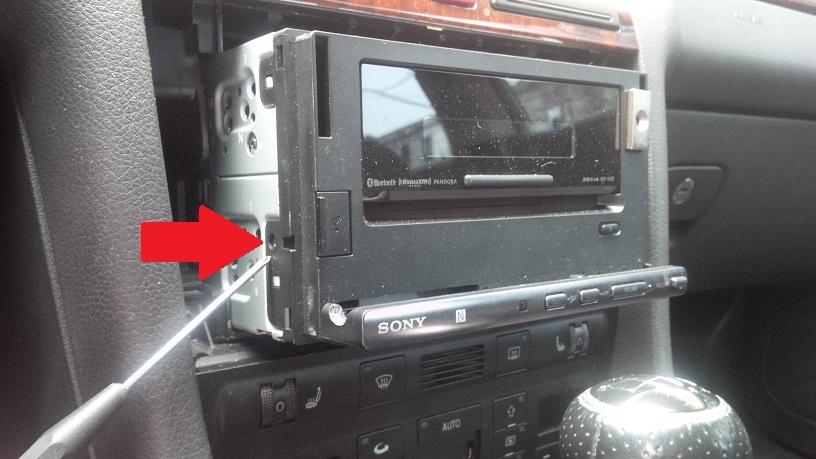
Remove this screw from each side. 2 total.
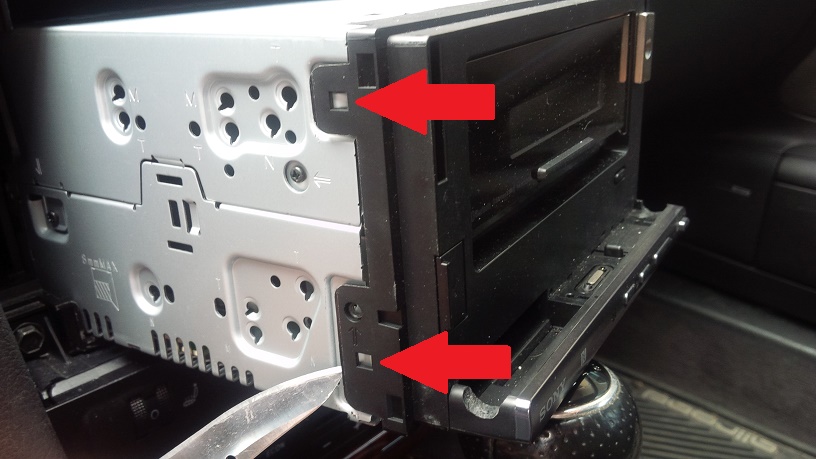
Gently pry the 2 plastic tabs from one side. The bottom one is pretty stiff, but just be careful.
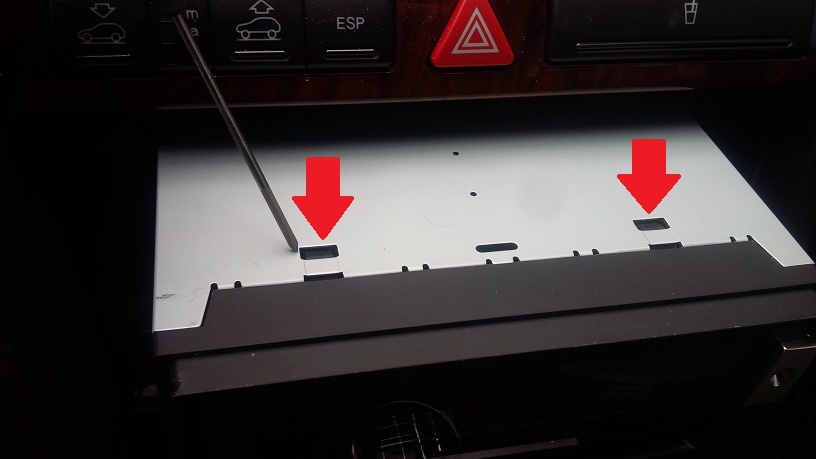
Press the 2 plastic tabs on top.
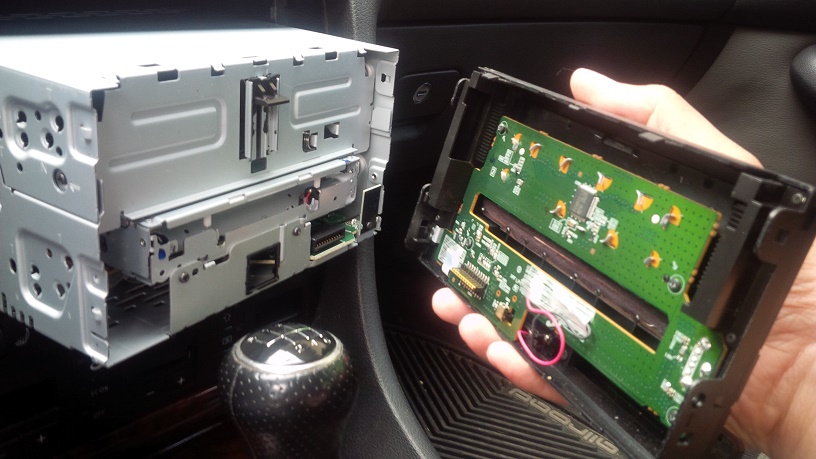
The faceplate should swing away freely now. There are no cables or connectors to unplug.
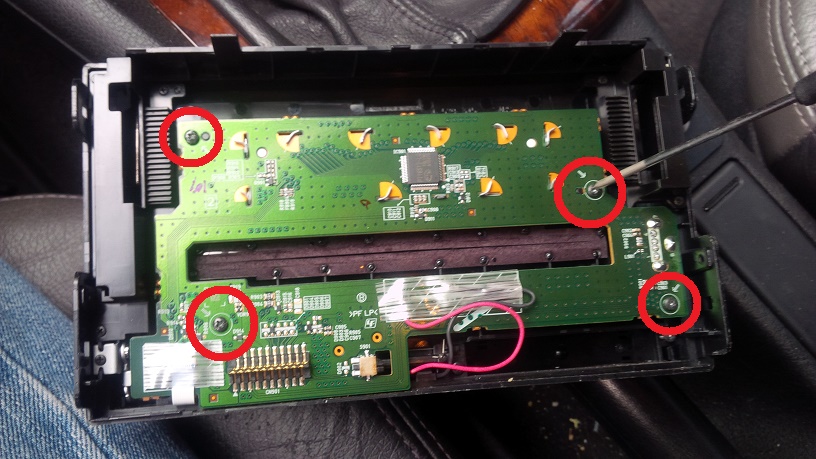
Remove the 4 screws to free the circuit board.
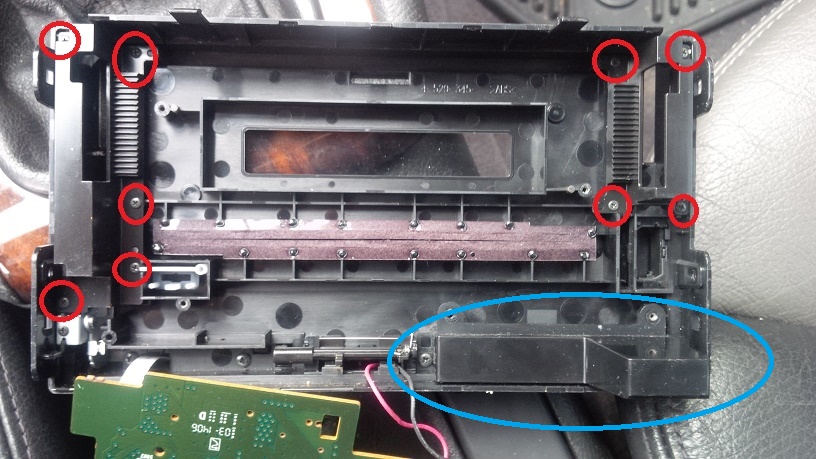
Remove the 9 screws to remove the plastic covers over the axle that controls the stock locking slider. I don't have pictures of the axle and slider because mine are already gone, but if I recall correctly, each side is held on by 2 or maybe 3 screws. Remove the blue circled plastic cup. The right side of the cup is held in by the same screw as the circuit board, but I think the left side was glued or pressed on.
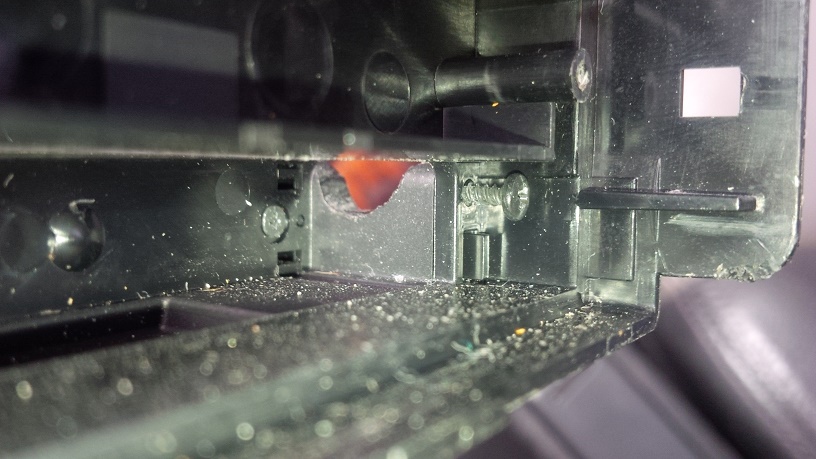
You have to back the screw out under that cup so that you can modify the tray to accept the Xperia Z Ultra because it extends into the part of the tray you have to cut. Once you've backed this screw out, go ahead and make the cuts to the front side of the tray (Dremel, round file, etc).
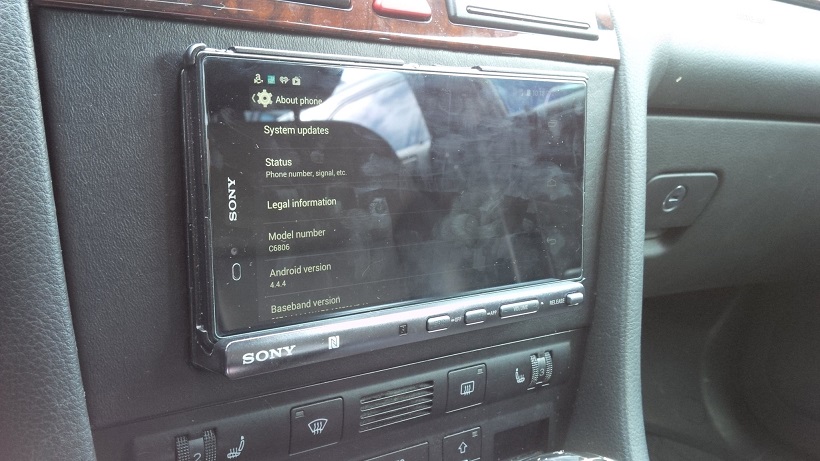
Reassemble in reverse for finished installation. My Xperia Z Ultra pictured has the Incipio Feather snap-on case (came with the Incipio Watson folio case, which it snaps into).